Choose the Game Format
Start with the playable mode that fits the room: social deduction, cards, trivia, icebreakers, adult prompts, or backup ideas.
Free party game tool
Open a playable party game tool for imposter rounds, Truth or Dare, trivia, icebreakers, drinking games, and backup ideas.
Choose a tool
Open a playable game mode that matches the room.
3-20 players · 5-10 min · one phone · Free
Private cards, timer, voting, reveal, scoring, and next round.
Open tooltruth or dare generatorTruth or Dare2-20 players · 10 min · one phone · Free
Draw truth or dare cards with safe skips and party modes.
Open tooltrivia generatorTrivia Generator2+ players · 10-30 min · teams · Free
Generate questions, reveal answers, and score quiz rounds.
Open tooldrinking game generatorDrinking Gameadults · 15 min · optional drinks · Free
Prompt cards with non-alcoholic options and skip rules.
Open toolicebreaker questions generatorIcebreakers3-20 players · 5 min · work-safe · Free
Warmup prompts for meetings, parties, and new groups.
Open toolparty game ideas generatorGame Ideasany group · 10-60 min · no signup · Free
Find backup games by room, energy, group size, and time.
Open toolgeography trivia generatorGeography Trivia2+ players · 10 min · quiz round · Free
Generate map, capital, landmark, and world quiz questions.
Open toolStart with the room
Pick the group, setting, and energy. We will point you to the best ready-to-play tool for this moment.
A complete game plan when you want rules, setup, and host notes.
7-12 players · Friends · Balanced
Pick a game style
Create private word cards, run clue rounds, vote, reveal the imposter, keep score, and play again.
Open generatortruth or dare generatorTruth or Dare GeneratorDraw truth or dare cards, switch modes, skip safely, and keep turns moving.
Open generatortrivia generatorTrivia GeneratorGenerate trivia questions, reveal answers, and score quick quiz rounds.
Open generatorAI Party Game Generator is a free browser hub for hosts who need a complete party activity quickly. Choose the format first: private imposter word cards for social deduction, Truth or Dare prompts for fast turns, trivia rounds for teams, icebreaker questions for meetings, drinking game prompts for adults, or a backup idea finder for a room that has gone quiet. Each tool is built to be used during the event, so the host gets rules, prompts, scoring notes, and next-round controls instead of a generic list that still needs rewriting.
Real product walkthrough
Set the group details, compare complete game cards, and take the chosen rules to the room.
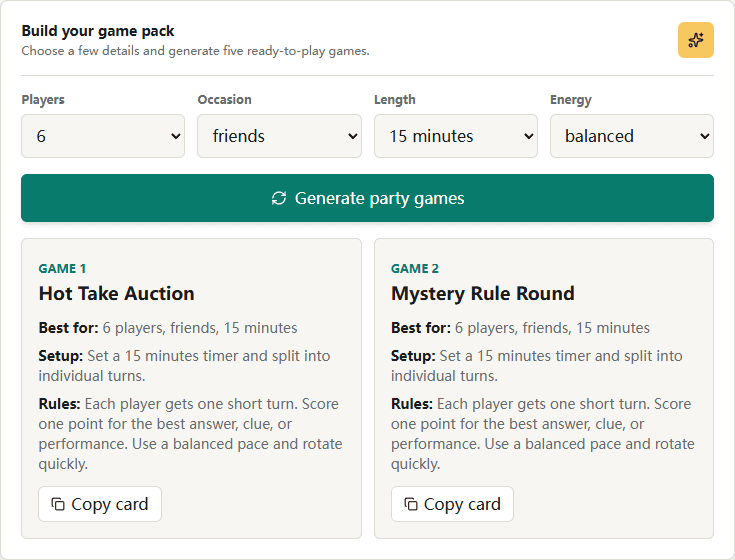
Choose the room size, age range, occasion, time limit, and energy level.
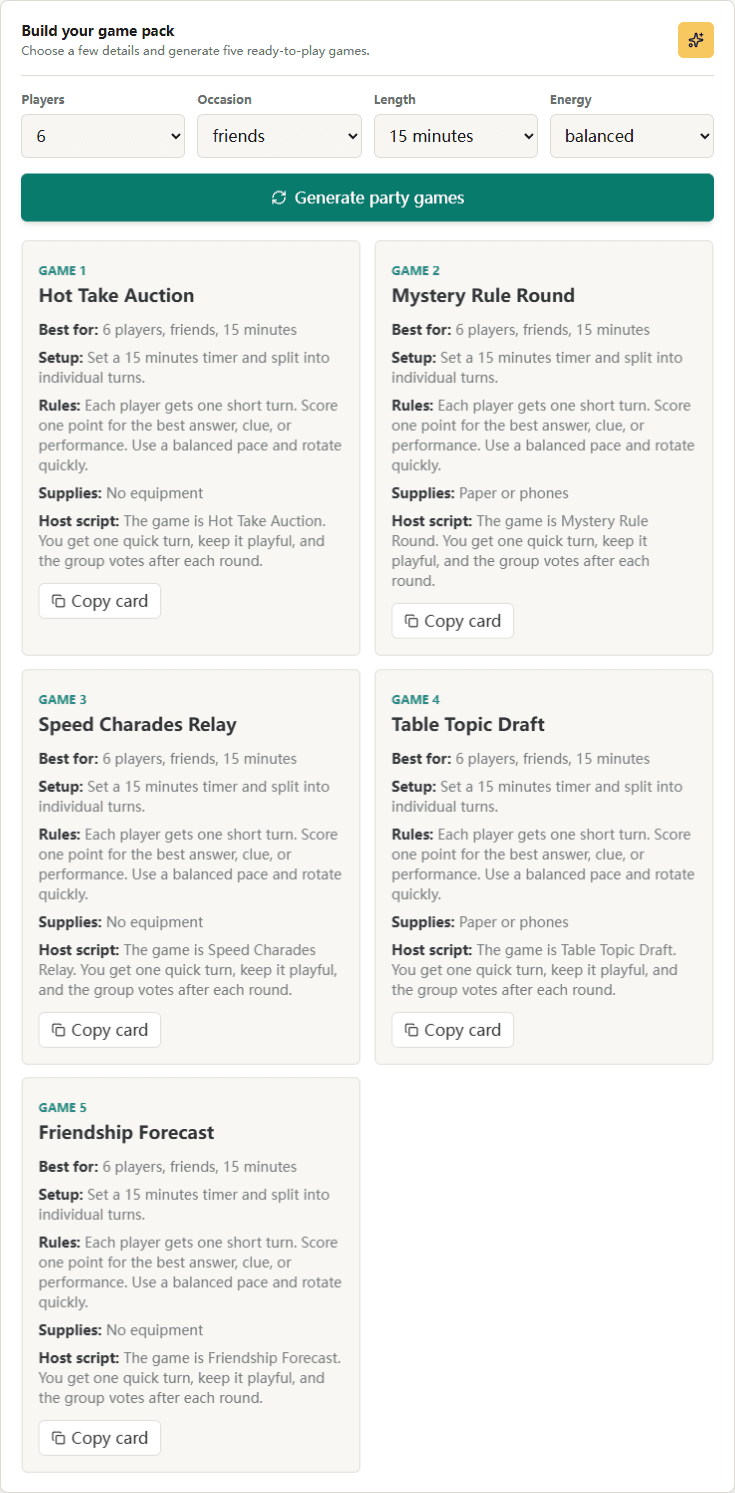
Review complete game cards with setup, rules, supplies, and host notes.
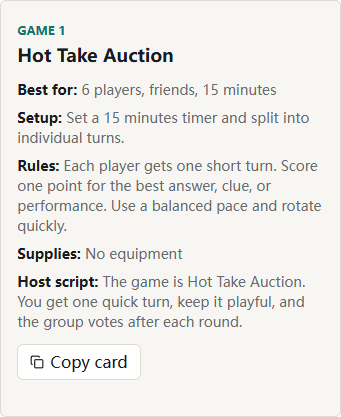
Copy one card into a note or group chat without rewriting the rules.
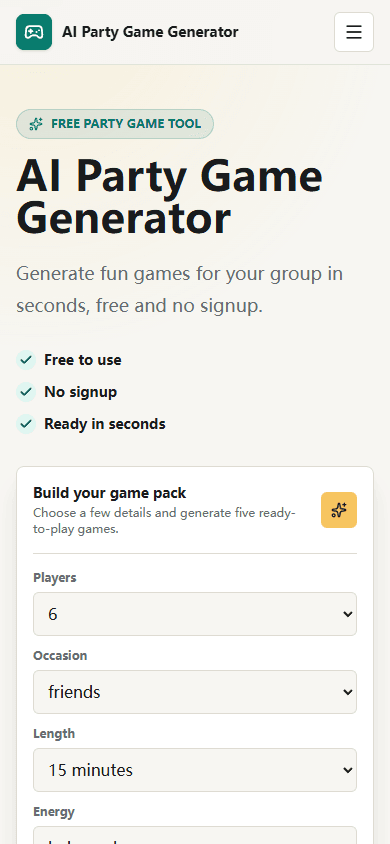
Use the same generator at the party without downloading an app.
Three quick steps
Start with the playable mode that fits the room: social deduction, cards, trivia, icebreakers, adult prompts, or backup ideas.
Open the tool to create word cards, question cards, quiz answers, safe prompts, scoring rules, or host notes.
Use the page from a phone, copy the best output, keep score, and switch tools when the group's energy changes.
Plan less, play sooner
Traditional planning
With the generator
Search several lists and adapt incomplete ideas
Generate five ideas matched to the group in seconds
Rewrite rules, supplies, and scoring yourself
Receive setup, rules, supplies, and host notes together
Reuse the same familiar games for every event
Change the group, occasion, time, and energy for a fresh mix
Useful for real groups
Use Imposter Game Online when the group wants clues, bluffing, discussion, and a clean reveal. It works best when everyone can pass one phone privately.
Use Truth or Dare, icebreakers, or drinking prompts when the room needs short turns and no setup. These tools are easier for new groups and casual parties.
Use trivia and geography trivia when players can split into teams, answer together, and follow visible scoring across several short rounds.
Static example library
Use these when a room has more than ten players and needs fast rules.
Split into teams, draw one prompt per player, and score one point for each correct guess before the timer ends.
Each player writes two true facts and one fake fact, then teams draft the statements they think are false.
Choose a category and move around the circle until someone repeats an answer or takes too long.
Use these before louder games when guests are still warming up.
Ask a harmless either-or question, give each side 20 seconds, then vote for the funniest argument.
Pick an object in the room and invent a dramatic history for it in one minute.
Players predict how the group will answer a question before anyone reveals their choice.
Use clean rules that let children, teens, parents, and grandparents play together.
Repeat the growing list and add one new party-themed item each turn.
One player leaves while the group changes three small details, then returns to spot them.
Players silently arrange themselves from smallest to largest assigned animal, then reveal the order.
Use these when players want scoring but the host needs simple setup.
A player explains a random topic with confidence for five seconds while teammates guess the topic.
Teams spend pretend coins on opinions they think the room will defend.
Teams list clues that share a hidden connection while the other team names the category.
Ready-made inspiration
01Imposter Online: pass private word cards, discuss clues, vote, reveal, score, and start the next round.
02Truth or Dare Draw: tap for a truth or dare card, skip once, then apply a light penalty if someone skips again.
03Mystery Rule Round: one secret rule changes the scoring, and players guess it after each round.
04Table Topic Draft: players draft funny topics, then defend why their pick should win.
05Silent Lineup: players line up by a hidden category without talking, then reveal the pattern.
06Hot Take Auction: spend pretend coins on the opinions you think the room will defend.
07Backstory Battle: invent a ridiculous history for an ordinary object and vote for the best story.
08One-Word Movie: retell a famous movie one word at a time without breaking the sentence.
09Reverse Interview: answer normal interview questions as an assigned fictional character.
10Prediction Jar: predict another player's answer before the question is revealed.
11Sound Effects Only: describe a place using sounds while the group guesses the setting.
12Five-Second Expert: explain a random topic with confidence before the timer ends.
13Secret Category: list clues that share a hidden connection while other players identify it.
14Emoji Translator: turn a familiar phrase into spoken emoji descriptions for the room to decode.
15Roommate Court: defend a harmless habit while the group acts as judge and jury.
16Memory Chain: repeat the growing list and add one new party-themed item each turn.
17Friendly Roast Awards: give playful, positive awards based on memorable group moments.
18Forbidden Word Host: complete mini challenges without saying the round's banned word.
19Photo Finish: recreate a funny pose described by the host before the timer expires.
20Last Person Standing: answer from a category without repeating anything already said.
Better rounds with less setup
Planning guides
Find party games for large groups with fast turns, simple rules, team options, no-equipment ideas, and host tips for keeping 10 or more players involved.
Read guideIcebreaker Games for WorkWork-safe icebreaker games for meetings, workshops, onboarding, remote calls, and team building with practical prompt examples.
Read guideFunny Truth or Dare QuestionsFunny Truth or Dare questions and dares for friends, parties, and casual groups with safe skip rules and clean prompt ideas.
Read guideNon-Alcoholic Drinking GamesNon-alcoholic drinking game alternatives using points, snacks, water sips, dares, voting prompts, and safe party rules.
Read guideTrivia Questions for PartiesParty trivia questions, category ideas, team formats, answer-key tips, and quick rules for hosting a fun trivia round.
Read guideFamily Party Game GeneratorGenerate family party games with clean prompts, simple rules, mixed-age variations, no-equipment ideas, and host tips for kids and adults.
Read guideHalloween Party Game GeneratorGenerate Halloween party games with spooky prompts, costume activities, family-safe options, adult variations, and no-equipment ideas.
Read guideChristmas Party Game GeneratorGenerate Christmas party games for families, offices, friends, gift exchanges, holiday trivia, and no-equipment festive rounds.
Read guideFunny Truth or Dare GeneratorGenerate funny Truth or Dare cards with clean truths, safe dares, skip rules, party modes, and prompt examples for friends and groups.
Read guideQuestions and answers
Yes. The party game generator and playable tools are free to use for game ideas, imposter rounds, prompt cards, trivia questions, and host notes.
Start with one generated game card, read the setup out loud, assign teams or turns, and play a short test round before keeping score.
Yes. Choose a high-energy style and friend group occasion to generate meme-friendly prompts, guessing games, and quick social challenges.
Good no-equipment options include imposter word games, Truth or Dare, icebreaker questions, word guessing, debate games, story chains, and voting games.
Yes. Select work or team building as the occasion and choose family-friendly prompts so the generated games stay office-safe.
For six players, try an imposter word game, charades relay, voting game, or team challenge. These formats create enough discussion without making turns feel slow.
No. The generator works in a web browser on a phone, tablet, or computer, so your group can start without installing anything.
Yes. Use the copy button on a game card to save its setup, rules, supplies, and host notes in your preferred notes or messaging app.